


 VS Code extension

The official app sends a message. CodeMote drives the machine.
Claude, Codex, and Cursor all ship a phone app. Each one talks to its own agent, in its own chat, on its own cloud — send a message, read the reply. That’s the ceiling.
| Their app | CodeMote | |
|---|---|---|
| Talk to the agent | Chat only | Real terminal, full CLI |
| Which agent | Locked to theirs | Claude Code, Codex, any CLI |
| Which editor | Theirs | VS Code, Cursor, Antigravity |
| See the real diff | A blob in chat | Full diff viewer |
| Open and edit files | No | Yes |
| Run a dev server | No | Yes |
| Full git flow | No | Stage, commit, push, branch, history |
| Where your code lives | Their cloud | Your machine, no copy |
CodeMote connects to the editor running on your computer. The agent works in a real terminal with full access to your machine, and you get the rest of the machine with it: the diff, your files, your dev servers, your git history. You approve the change because you saw it, not because the chat said it went fine.
This is your whole dev box, remote.
Everything your desk does.
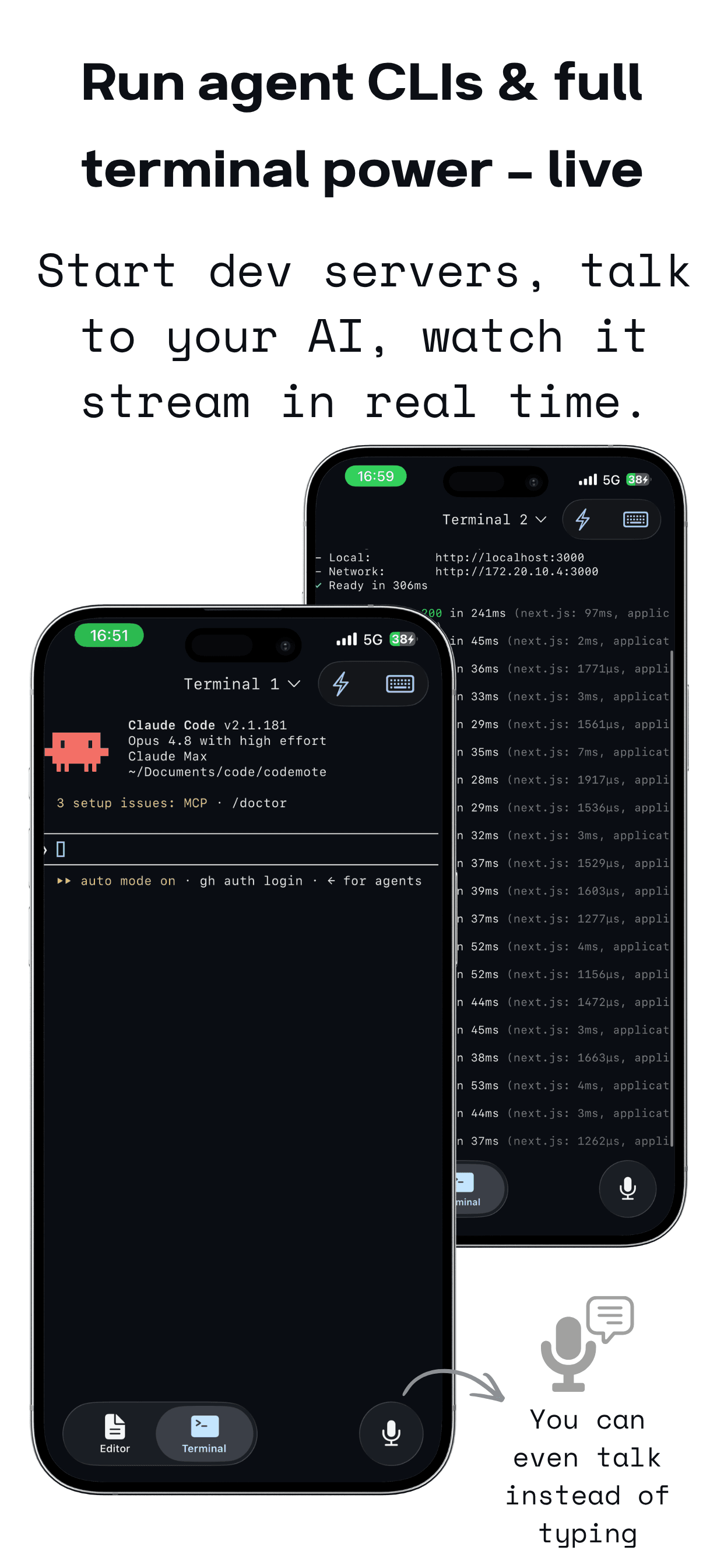
Run any AI coding agent from your phone
Start Claude Code, Codex, or any CLI agent in a terminal on your own computer. It keeps the same access it has at your desk, so it can finish the job instead of stopping to ask at every step.
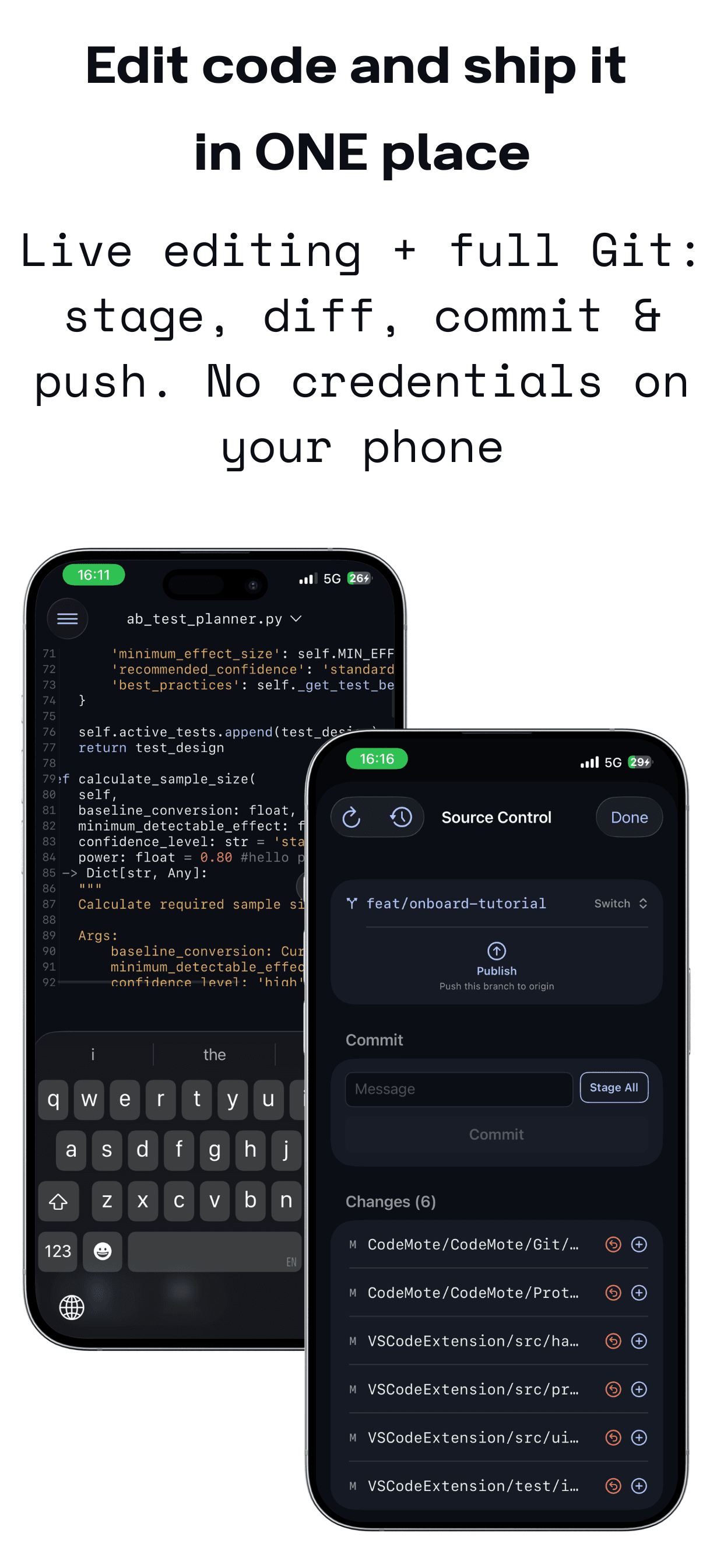
Review the real diff before you ship
Read the actual diff, open the file, and check the change in context. No more approving a wall of chat text and hoping it's right.
Dev servers that keep running
Start a dev server and watch the output stream in live. Background the app, come back an hour later, it's still running.
Full git from your phone
Stage, diff, commit, push, branch, and read history. The whole source-control flow, with no GitHub login or tokens stored on your device.
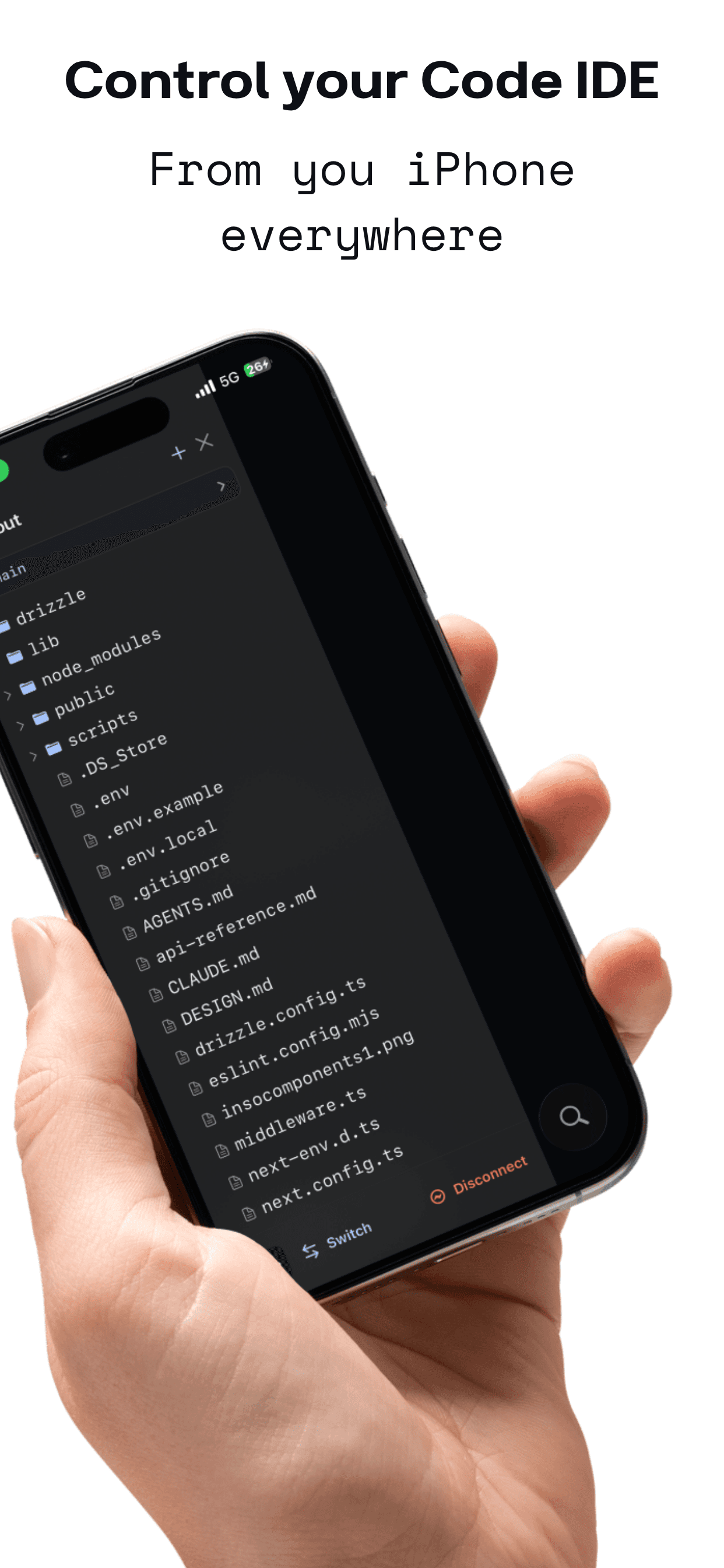
Browse and edit your files
Open the full file tree and edit code exactly as it sits on your machine. Fix a typo, tweak a config, commit it, done.
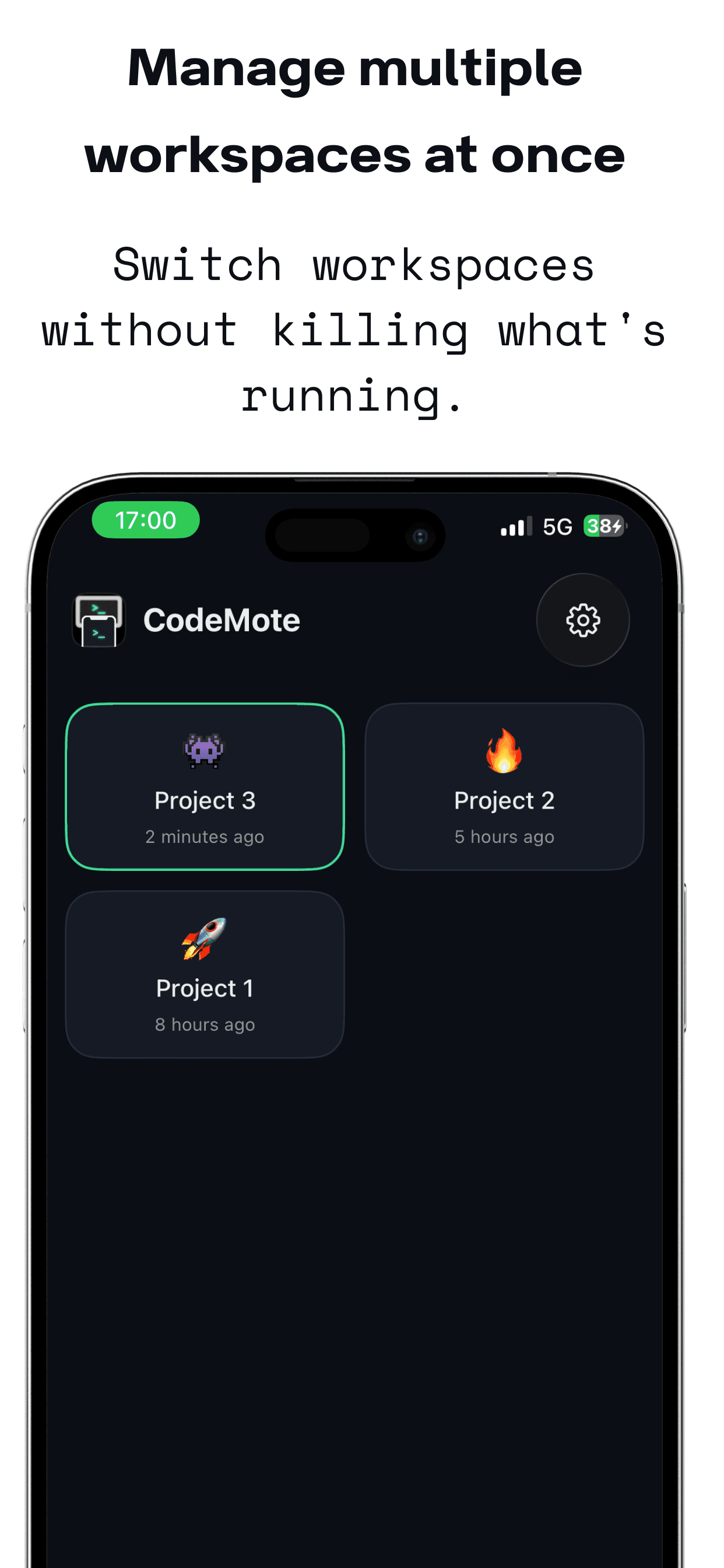
VS Code, Cursor, Antigravity, and every VS Code fork.
CodeMote drives the real editor on your machine, so it works the same no matter which one you run. Switch editors, keep the same phone app. One install covers your whole setup.
 VS Code
 Cursor
 Antigravity+ Windsurf and more
Your code never leaves your machine.
CodeMote opens a direct link between your phone and your computer. There is no server in the middle holding your work.
Direct & encrypted
A one-to-one phone-to-computer connection, tunneled over Microsoft's free devtunnel.
No cloud copy
Code, terminals, files and Git data are never mirrored to our servers.
Zero creds on phone
Pairing is local, via QR, with revokable tokens you control.
Paired in under a minute.
Install the extension
Add CodeMote to VS Code, Cursor, Antigravity or any VS Code fork.
Scan to pair
Scan the QR code to open a secure, revokable link.
Code from anywhere
Terminals, agents, Git and files, all from your phone.
For the moment your laptop isn’t in front of you.
Unblock a long agent run from anywhere
Kick off a big refactor at your desk, leave, and approve or redirect it from your phone when it needs you.
Fix the bug before you get home
Production breaks, you're on the train. Open the repo, read the diff, push the fix.
Code review on the couch
Pull up the file tree, read the changes, leave the laptop closed.
Set up and pair in a minute.
A one-time setup on your computer, then you’re paired in seconds — everything runs on your own machine.
Install the CodeMote extension
On VS Code, get it from the Marketplace. On Cursor, Antigravity, Windsurf and other VS Code forks, install it from Open VSX — or search CodeMote in the Extensions panel.
Install the devtunnel CLI
CodeMote needs Microsoft’s free devtunnel tool on your PATH.
brew install --cask devtunnelwinget install Microsoft.devtunnelcurl -sL https://aka.ms/DevTunnelCliInstall | bashVerify it works:
devtunnel --versionSign in to dev tunnels
One time — sign in with a GitHub or Microsoft account to authorize your machine to host the tunnel.
devtunnel user login --githubdevtunnel user login --microsoftStart a session
- In VS Code, open the folder you want to work on.
- Command Palette (
Cmd/Ctrl+Shift+P) → CodeMote: Start Mobile Session. - A panel opens with a QR code.
Pair your phone
- Install and open the CodeMote app.
- Scan the QR code — or tap paste and paste the pairing string shown under it.
- You’re in. Browse files, open the editor, switch to the terminal.
Commands
Open the Command Palette, type CodeMote, and pick:
Starts the session and shows the pairing QR.
Shows the QR again with a fresh, single-use pairing code - use this to pair another device, or if a code was already used.
Ends the session and disconnects all devices.
Revokes every device's access; they must re-pair.
You can also click the CodeMote status bar item to start a session.
Frequently asked questions
Can I run Claude Code from my iPhone?
Yes. CodeMote runs Claude Code in a real terminal on your own computer and lets you drive it from your phone, by typing or by voice.
Does CodeMote work with Cursor?
Yes. It works with Cursor, VS Code, Antigravity, and other VS Code forks. You connect the editor you already use.
Is my code uploaded to a server?
No. The connection runs directly from your phone to your computer, encrypted. Your code is never copied to any server.
Do I need to expose my machine to the internet?
No. Pairing uses an outbound dev tunnel from your computer — there's no SSH server to expose, no VPN to configure, and no router ports to open.
Does it work on iPad?
Yes. CodeMote runs on both iPhone and iPad.
Which AI agents are supported?
Any agent you can run from the command line, including Claude Code and Codex. If it runs in your terminal, it runs in CodeMote.
More questions? Read the full FAQ.
Carry your whole dev machine in your pocket.
Terminal, every AI agent, and full git. On your own machine, from your phone.
Free to download on the App Store